
Drawer organizers that fit your drawer. Exactly.
Type in the inside size of your drawer, draw your bins and download STL files for your 3D printer. The baseplate fills the drawer from wall to wall, so nothing slides around.
Free to design, right in your browser. No sign-up needed, nothing to install.
Most baseplates leave a gap. This one doesn't.
Gridfinity works in 42 mm squares. Your drawer almost never does. A standard baseplate stops at the last whole square and leaves a strip of empty drawer along one side, and the whole organizer shifts every time you open it.
Draweroo measures from the drawer instead. The space that is left over gets split evenly and printed as a solid rim around the grid, so the baseplate sits tight against all four walls.
From tape measure to print bed in three steps
-
Measure the inside of the drawer
Width, depth and height, in millimetres, centimetres or inches. Leave about 1 mm of play.
-
Draw your bins
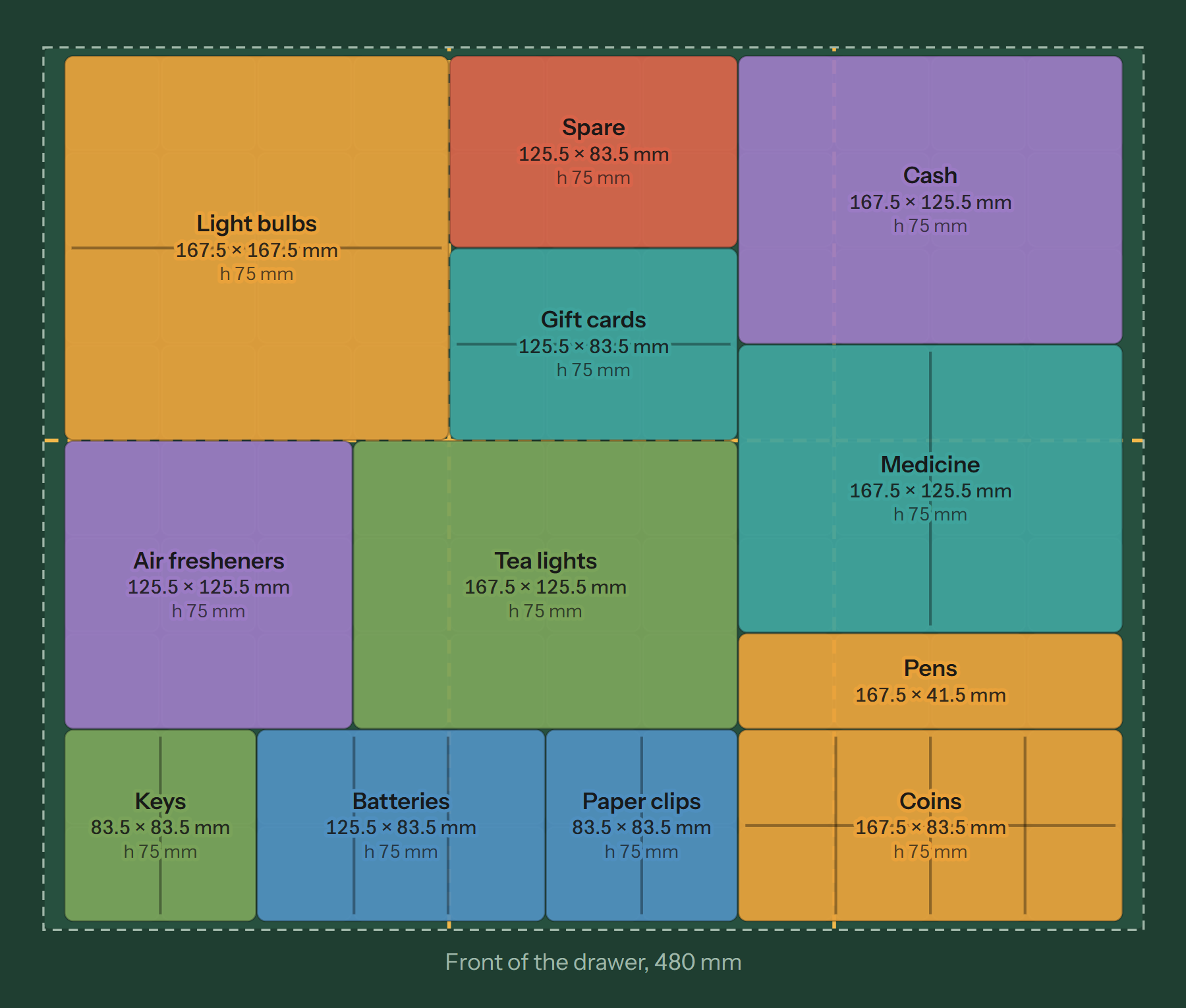
Drag across the grid to make a bin, then give it a height, compartments and a label. Keys in a 2 × 2 with two slots, coins in a 4 × 2 with eight. The 3D preview updates while you draw.
-
Print the parts
Download one zip with every baseplate part, every bin and a print list. PLA or PETG, 0.2 mm layers, no supports.
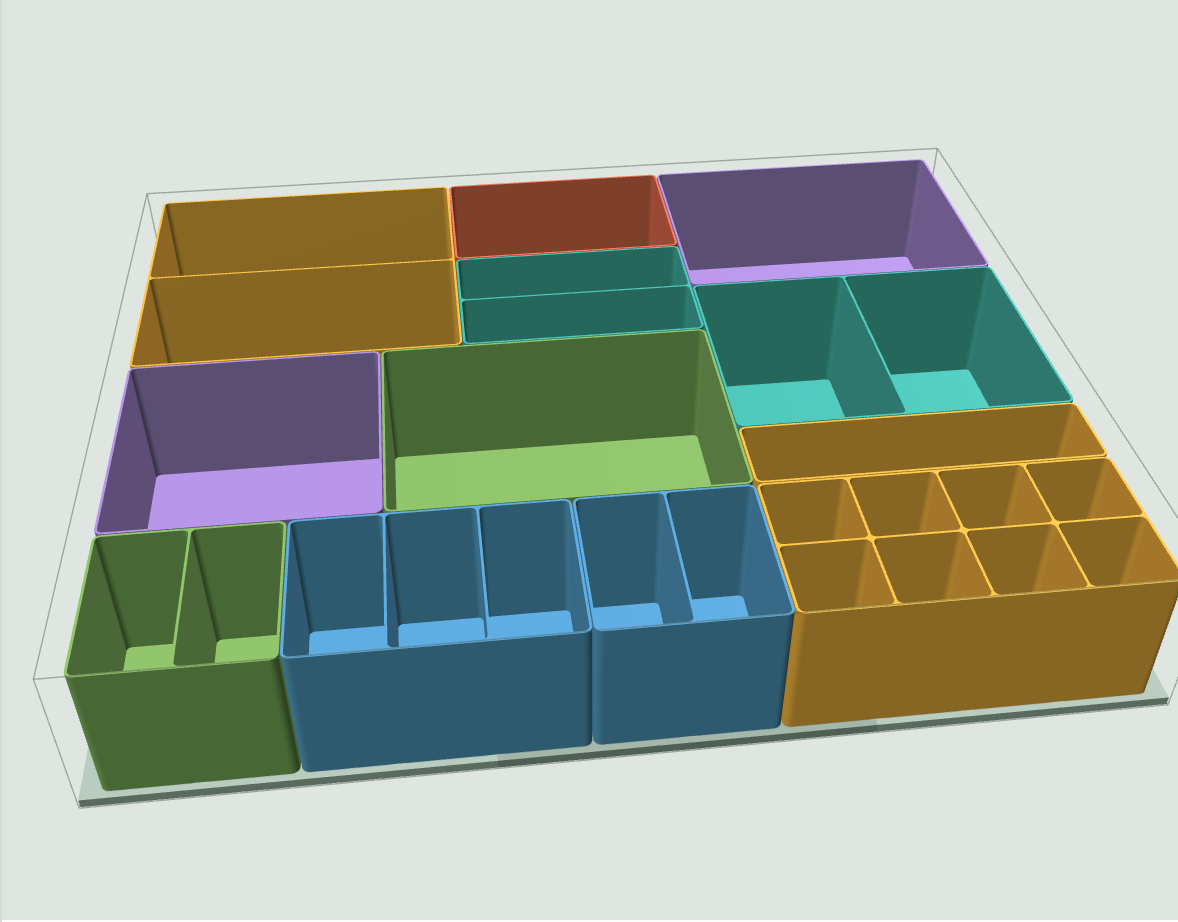
The same 480 × 385 mm drawer on a 256 × 256 mm bed: six parts, every seam on a grid line.
Bigger than your print bed? It gets cut to fit.
Enter the size of your bed and the baseplate is split into the fewest parts that fit on it. Seams always fall between two grid squares, and the drawer walls hold the parts together.
| Bambu Lab P1S, X1C | 256 × 256 mm |
|---|---|
| Bambu Lab A1 mini | 180 × 180 mm |
| Prusa MK4 | 250 × 210 mm |
| Creality Ender-3 V3 SE | 220 × 220 mm |
Any FDM printer works. The files are watertight and open in Bambu Studio, OrcaSlicer, PrusaSlicer and Cura without repair.
What you can make
Every bin follows the Gridfinity standard, so bins from Printables, MakerWorld and Thingiverse fit your baseplate too.
- Bins in any height
- From a shallow tray for paper clips to a deep bin for light bulbs, up to the height of your drawer.
- Dividers
- Split a bin into up to 12 slots in each direction.
- Labels
- A bin labelled "Batteries" downloads as batteries.stl, so you know what you're slicing.
- A press plate for cash
- An optional plate that keeps banknotes flat in their bin.
- Filament estimate
- Grams per part and for the whole drawer, before you print anything.
- Share links
- Send a layout to someone as a link. It opens exactly as you left it.
Coming next: tell it what goes in the drawer
Type a list of the things you want to store, and Draweroo suggests a layout with the right bin sizes and compartments. You can still change every bin afterwards.
Questions
What is Gridfinity?
An open system for 3D-printed storage, created by Zack Freedman. Bins sit in a baseplate with a 42 mm grid, so bins from different designers fit the same baseplate.
Do I need to know CAD?
No. You type in numbers and draw rectangles. Draweroo builds the 3D models and writes the STL files for you.
Do the parts need supports?
No. Print the bins standing on their feet and the baseplate flat.
How much filament does a drawer take?
It depends on the bins. The example drawer on this page, with 75 mm tall bins, comes to about 2 kg of PLA. The designer shows the estimate per part while you draw.
Is my layout uploaded anywhere?
No. The designer runs in your browser and keeps your layout there. A share link carries the layout inside the link itself.
Are magnet holes or stacking lips included?
No. Bins in a drawer are not stacked and do not need magnets, so both are left out to save filament and print time.